The Best Dual Monitor Arms
 By Samwel Simiyu · Updated October 28, 2026 · How we choose
As an Amazon Associate I earn from qualifying purchases. Prices and availability change, so check Amazon for the latest. Learn more
The short answer
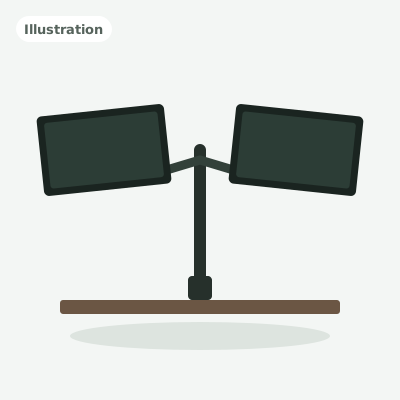
Ergotron LX Dual Arm (Matte Black)
The premium pick: a long-reach, smooth-lifting dual arm from a respected ergonomics brand, backed by a 10-year warranty.
Buy it if: You want the smoothest, longest-lasting arm and use screens up to 27 in
- Screen sizeUp to 27 in
- Weight per arm7 to 20 lb
- MountDesk clamp (edges up to 2.6 in)
A dual monitor arm lifts both screens off your desk, frees up space underneath, and lets you set each monitor at the right height and angle. The catch is that arms differ a lot in how much weight they hold, how big a screen they fit and how easy they are to adjust.
We compared six of the most popular dual monitor arms on Amazon using the makers' specs, independent reviews and patterns in owner feedback. We looked at screen size and weight limits, gas-spring versus fixed designs, mounting options, warranty and value for money. Here are the ones worth buying, and who each one suits.
All 6 picks
1
Best overall
Ergotron LX Dual Arm (Matte Black)
The premium pick: a long-reach, smooth-lifting dual arm from a respected ergonomics brand, backed by a 10-year warranty.
9.1/10Show details
Ergotron LX Dual Arm (Matte Black)
The premium pick: a long-reach, smooth-lifting dual arm from a respected ergonomics brand, backed by a 10-year warranty.- Screen sizeUp to 27 in
- Weight per arm7 to 20 lb
- MountDesk clamp (edges up to 2.6 in)
- VESAMIS-D (75 x 75, 100 x 100 mm)
Buy it if: You want the smoothest, longest-lasting arm and use screens up to 27 in
Skip it if: You use monitors larger than 27 in
Before you buy
- Assembly
- Clamp or grommet mount
- Weight
- 13.9 lb
- Warranty
- 10 years limited
What we like
- Long reach: arms extend up to 25 in
- 13 in of lift for fine height adjustment
- 10-year manufacturer's warranty
Watch out for
- Costs much more than every other arm here
- Tops out at 27 in screens
The Ergotron LX Dual is the arm to get if you want the best-built option and plan to keep it for years. Ergotron is a long-standing name in office ergonomics.
Each arm reaches out up to 25 in and gives you 13 in of lift, so you can pull screens close or push them back to clear the desk. Both screens rotate between landscape and portrait, and the clamp fits desk edges up to 2.6 in thick. Ergotron backs it with a 10-year warranty, far longer than the budget arms here.
The trade-off is cost: it's the most expensive arm in this guide by a wide margin. It also tops out at 27 in screens. If you use bigger monitors, look at the HUANUO FlowLift or DS7 instead. Check the current price of the Ergotron LX Dual on Amazon.
2
Best value gas-spring
HUANUO FlowLift Dual Monitor Arm (HNDS6)
The best value gas-spring arm: aluminum arms, room for 32 in screens and a longer warranty than most budget mounts.
8.8/10Show details
HUANUO FlowLift Dual Monitor Arm (HNDS6)
The best value gas-spring arm: aluminum arms, room for 32 in screens and a longer warranty than most budget mounts.- Screen size13 to 32 in
- Weight per arm4.4 to 19.8 lb
- MountC-clamp or grommet
- VESA75 x 75, 100 x 100 mm
Buy it if: You want a gas-spring arm for screens up to 32 in without paying premium prices
Skip it if: You're tall and use a standing desk
Before you buy
- Assembly
- Clamp or grommet mount, light tools
- Warranty
- Maker advertises up to 5 years
What we like
- Fits 13 to 32 in screens
- Aluminum arms with gas springs rated for 20,000 cycles
- Up to 5-year warranty
Watch out for
- Gas tension needs tuning to match each monitor
- Max height of 15.75 in may be low for tall users with a standing desk
The HUANUO FlowLift gives you most of what a premium arm does for a fraction of the cost. It fits screens from 13 to 32 in and holds 4.4 to 19.8 lb on each arm, which covers most home office monitors.
The arms are aluminum, and HUANUO says its gas springs are tested for 20,000 cycles. You get tilt up to 85 degrees, 180 degrees of swivel and full rotation, plus a C-clamp or grommet mount. The warranty runs up to 5 years, which is generous for a budget arm.
Like every gas-spring arm, it needs a few minutes of tension tuning to match your monitors. The max height of 15.75 in above the desk also suits seated work best. Check the current price of the HUANUO FlowLift on Amazon.
3
Best for big screens
HUANUO DS7 Dual Monitor Arm, 13 to 40 in (HNDS7)
The big-screen pick: gas-spring arms that hold monitors up to 40 in and 26.4 lb each, with a USB port built in.
8.7/10Show details
HUANUO DS7 Dual Monitor Arm, 13 to 40 in (HNDS7)
The big-screen pick: gas-spring arms that hold monitors up to 40 in and 26.4 lb each, with a USB port built in.- Screen size13 to 40 in
- Weight per arm4.4 to 26.4 lb
- MountC-clamp (desks up to 3.54 in) or grommet
- VESA75 x 75, 100 x 100 mm
Buy it if: You use large, ultrawide or heavy monitors up to 40 in
Skip it if: Your monitors are 27 in or smaller and you want to spend less
Before you buy
- Assembly
- Clamp or grommet mount; Phillips screwdriver not included
- Good to know
- Set tension only after the monitors are on the arms
What we like
- Fits screens from 13 to 40 in
- Highest weight rating here: 4.4 to 26.4 lb per arm
- Built-in USB 3.0 port and gas springs HUANUO rates for 50,000 cycles
Watch out for
- Costs more than the HUANUO FlowLift
- Heavy at nearly 18 lb, so it needs a solid desk edge
The HUANUO DS7 is the arm to pick if your screens are big or heavy. It fits monitors from 13 to 40 in and holds 4.4 to 26.4 lb on each arm, the highest weight rating in this guide. That covers large and ultrawide screens that would overload most budget arms.
The arms use gas springs with a tension bolt on top, and HUANUO says they're tested for over 50,000 movement cycles. Screens can sit up to about 21 in high, well above the FlowLift's limit. There's a built-in USB 3.0 port, and the C-clamp fits desks up to 3.54 in thick, with a grommet option for holes 0.39 to 1.97 in wide.
It costs more than the FlowLift, and at nearly 18 lb it needs a solid desk edge. If your monitors are 27 in or smaller, the FlowLift does the same job for less. check the current price of the HUANUO DS7 Dual Monitor Arm, 13 to 40 in (HNDS7) on Amazon.
4
Best budget pole mount
VIVO Dual Monitor Desk Mount
The budget pick: a simple steel pole mount that holds two screens up to 30 in and 22 lb each.
8.4/10Show details
VIVO Dual Monitor Desk Mount
The budget pick: a simple steel pole mount that holds two screens up to 30 in and 22 lb each.- Screen size13 to 30 in
- Weight per armUp to 22 lb
- MountC-clamp or grommet
- VESA75 x 75, 100 x 100 mm
Buy it if: You set your screens once and rarely move them
Skip it if: You want to reposition screens with one hand
Before you buy
- Assembly
- Phillips screwdriver needed; Allen wrenches included
- Warranty
- 3 years
- Good to know
- Clamp fits desktops up to 3.25 in thick
What we like
- One of the most affordable ways to mount two monitors
- High 22 lb rating per arm
- 3-year warranty
Watch out for
- No gas spring: you set height on the pole and tighten the joints by hand
- Not as quick to reposition as the gas-spring arms here
If you just want two monitors off the desk and don't plan to move them much, the VIVO STAND-V002 is the simplest way to do it. It's a steel pole mount with two arms, and it holds screens up to 30 in and 22 lb each, one of the highest weight ratings here.
The arms slide up and down a 17 in pole, with 16 in of height range. Screens tilt up to 90 degrees each way, swivel 180 degrees and rotate fully, and you can mount it with a C-clamp or through a grommet hole. VIVO includes a 3-year warranty.
There's no gas spring, so changing height means loosening the arm on the pole and tightening it again. Set it once and it stays put, but it's not for people who move screens around every day. check the current price of the VIVO Dual Monitor Desk Mount on Amazon.
5
Best budget articulating arm
VIVO Mechanical Arm Dual Monitor Desk Mount, 17 to 32 in (STAND-V002O)
A budget articulating arm with mechanical springs that lets you move two 17 to 32 in screens by hand.
8.3/10Show details
VIVO Mechanical Arm Dual Monitor Desk Mount, 17 to 32 in (STAND-V002O)
A budget articulating arm with mechanical springs that lets you move two 17 to 32 in screens by hand.- Screen size17 to 32 in
- Weight per arm4.4 to 19.8 lb
- MountC-clamp (0.4 to 3.1 in) or grommet
- VESA75 x 75, 100 x 100 mm
Buy it if: You want arms that move by hand for 32 in screens on a budget
Skip it if: You need screens higher than 16 in above the desk
Before you buy
- Assembly
- Clamp or grommet mount with Allen wrenches included
- Good to know
- Grommet mount needs two holes 2 in apart and a 3/8 in drill bit
What we like
- Spring-balanced arms move by hand, no tools needed
- Fits 17 to 32 in screens up to 19.8 lb each
- Clamp fits desks up to 3.1 in thick, plus a 3-year warranty
Watch out for
- Max screen height of 16 in suits seated work best
- Arms span 33 in fully open, so it needs room around the desk
The VIVO STAND-V002O is a step up from the pole mount above. Instead of fixed arms on a pole, it has articulating arms with counterbalance mechanical springs, so you can lift, lower and pull each screen toward you by hand, without tools.
Each arm holds 4.4 to 19.8 lb and fits 17 to 32 in screens. Screens move between 6.25 and 16 in high and extend up to 19.75 in. They tilt 90 degrees each way, swivel 180 degrees and rotate fully for portrait use. The C-clamp fits desks 0.4 to 3.1 in thick, with an optional grommet mount for desks up to 1.9 in. VIVO includes a 3-year warranty.
The 16 in max height suits seated work more than tall standing setups. The arms also span 33 in when fully opened, so check the space around and behind your desk. check the current price of the VIVO Mechanical Arm Dual Monitor Desk Mount, 17 to 32 in (STAND-V002O) on Amazon.
6
Best for light monitors
Amazon Basics Dual Monitor Arm
A no-frills gas-spring arm for lighter 15 to 27 in monitors, with a clamp that fits desks up to 4 in thick.
8.2/10Show details
Amazon Basics Dual Monitor Arm
A no-frills gas-spring arm for lighter 15 to 27 in monitors, with a clamp that fits desks up to 4 in thick.- Screen size15 to 27 in
- Weight per arm4.4 to 15.4 lb
- MountC-clamp or grommet
- VESA75 x 75, 100 x 100 mm
Buy it if: You have two lighter monitors and a thick desk
Skip it if: Your monitors weigh more than about 15 lb each
Before you buy
- Assembly
- Clamp or grommet mount; assembly required
What we like
- Gas spring with separate tension adjustment on each arm
- Clamp and grommet fit desks 0.39 to 4 in thick
- Budget price for a gas-spring design
Watch out for
- Lowest weight limit here: 15.4 lb per arm
- Arms ship set for heavier screens and joints ship tight, so expect some setup
The Amazon Basics Gas Spring Dual Arm suits people with a pair of lighter 15 to 27 in monitors who want gas-spring movement on a budget. Each arm holds 4.4 to 15.4 lb and has its own tension screw, so you can balance two different screens.
The clamp and grommet options fit desks from 0.39 to 4 in thick, the widest range here, which helps with thick butcher-block or solid wood tops.
The 15.4 lb limit is the lowest in this guide, so check your monitor weights first. The listing also notes the arms ship set for heavier screens and the joints ship tight, so expect to loosen and tune them before they move freely. check the current price of the Amazon Basics Dual Monitor Arm on Amazon.
Compare side by side
| Product | Score | Screen size | Weight per arm | Mount | Buy |
|---|---|---|---|---|---|
| Best overallErgotron LX Dual Arm (Matte Black) | 9.1/10 | Up to 27 in | 7 to 20 lb | Desk clamp (edges up to 2.6 in) | See price |
| Best value gas-springHUANUO FlowLift Dual Monitor Arm (HNDS6) | 8.8/10 | 13 to 32 in | 4.4 to 19.8 lb | C-clamp or grommet | See price |
| Best for big screensHUANUO DS7 Dual Monitor Arm, 13 to 40 in (HNDS7) | 8.7/10 | 13 to 40 in | 4.4 to 26.4 lb | C-clamp (desks up to 3.54 in) or grommet | See price |
| Best budget pole mountVIVO Dual Monitor Desk Mount | 8.4/10 | 13 to 30 in | Up to 22 lb | C-clamp or grommet | See price |
| Best budget articulating armVIVO Mechanical Arm Dual Monitor Desk Mount, 17 to 32 in (STAND-V002O) | 8.3/10 | 17 to 32 in | 4.4 to 19.8 lb | C-clamp (0.4 to 3.1 in) or grommet | See price |
| Best for light monitorsAmazon Basics Dual Monitor Arm | 8.2/10 | 15 to 27 in | 4.4 to 15.4 lb | C-clamp or grommet | See price |
Complete your setup
Ready-made setups that include picks from this guide.
How to choose a dual monitor arm
Check your monitor's weight first. Look up the weight of each screen without its stand. Gas-spring arms have a minimum and a maximum weight. If your monitor is too light, the arm will drift up. If it's too heavy, it will sag.
Match the screen size. Every arm here fits 27 in screens. If you use 32 in monitors, pick an arm rated for them, like the HUANUO FlowLift or the VIVO STAND-V002O. For screens up to 40 in, look at the HUANUO DS7. Side-by-side arms also need enough reach so two wide screens don't bump.
Confirm VESA mounting. Turn your monitor around and look for four screw holes in a square. Every arm here fits 75 x 75 and 100 x 100 mm patterns. Some monitors, especially curved and thin models, need an adapter.
Spring arm or fixed pole? Spring arms, whether gas like the HUANUO or mechanical like the VIVO STAND-V002O, let you push a screen up, down or out with one hand. Pole mounts like the VIVO STAND-V002 are cheaper and very stable, but you change height by loosening a collar and moving the arm on the pole.
Check your desk. A C-clamp needs a solid edge with room underneath. A grommet mount needs a hole through the desktop. Thin, glass or hollow-core desks may need a reinforcement plate to avoid damage.
Questions people ask
Do monitor arms work with any monitor?
They work with monitors that have VESA mounting holes on the back, usually 75 x 75 or 100 x 100 mm. Check the weight and size limits too. If your monitor has no VESA holes, you'll need a separate adapter.
What's the difference between a gas-spring arm and a pole mount?
A gas-spring arm holds the screen in place with a spring you can tune, so you can move it with one hand. A pole mount, like the VIVO STAND-V002, holds each arm at a fixed height on a pole. It's cheaper and steady, but slower to adjust.
Why does my monitor arm keep drifting up or sagging?
The spring tension doesn't match the monitor's weight. Most gas-spring arms have a tension screw at the elbow. Turn it to add or reduce force until the screen stays where you put it. Amazon Basics notes its arms ship set for heavier screens.
Will a monitor arm damage my desk?
A clamp presses hard on a small area. Solid wood and thick particleboard handle it well. For thin, glass or hollow-core desks, add a steel reinforcement plate or use a grommet mount through a hole.