The Best Laptop Stands
 By Samwel Simiyu · Updated October 28, 2026 · How we choose
As an Amazon Associate I earn from qualifying purchases. Prices and availability change, so check Amazon for the latest. Learn more
The short answer
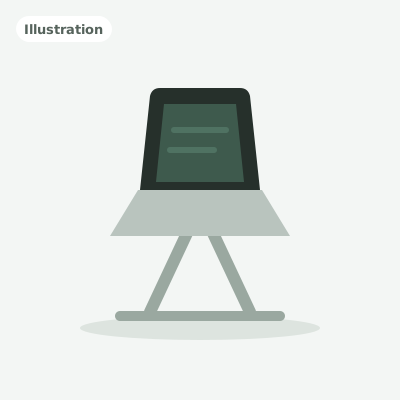
Rain Design mStand Laptop Stand (Silver)
A one-piece aluminum riser that holds your laptop at a steady 5.9 in, with no parts to loosen or wobble.
Buy it if: Anyone who works at one desk with an external keyboard and mouse
- Height5.9 in (fixed)
- MaterialSingle-piece anodized aluminum
- Laptop sizeAll MacBooks incl. 16 in Pro, most notebooks
Working on a laptop all day usually means looking down at a screen that sits too low. A laptop stand lifts the screen closer to eye level, so it's easier to sit back in your chair and keep your head up. Paired with a separate keyboard and mouse, it turns a laptop into a proper desk setup without buying a monitor.
We compared six of the most popular laptop stands on Amazon using the makers' specs, independent reviews and patterns in owner feedback. We looked at fixed height versus adjustable height, materials, the laptop sizes each one fits, how well it folds for travel and how much it weighs. Here are the ones worth buying, and who each one suits.
All 6 picks
1
Best overall
Rain Design mStand Laptop Stand (Silver)
A one-piece aluminum riser that holds your laptop at a steady 5.9 in, with no parts to loosen or wobble.
9.1/10Show details
Rain Design mStand Laptop Stand (Silver)
A one-piece aluminum riser that holds your laptop at a steady 5.9 in, with no parts to loosen or wobble.- Height5.9 in (fixed)
- MaterialSingle-piece anodized aluminum
- Laptop sizeAll MacBooks incl. 16 in Pro, most notebooks
- PortableNo
- WeightAbout 3 lb
Buy it if: Anyone who works at one desk with an external keyboard and mouse
Skip it if: You need to adjust the height or carry the stand with you
Before you buy
- Assembly
- No assembly, one solid piece
- Weight
- 3 lb
- Warranty
- 1 year
What we like
- Solid single-piece aluminum, about 3 lb
- Fits all MacBooks, including the 16 in Pro, and most notebooks
- Several colors, including silver and space gray
Watch out for
- Fixed height and angle
- Too heavy and rigid to travel with
The Rain Design mStand has been a favorite desk riser for years, and it's still the stand we'd point most people to. It's one curved sheet of aluminum with no hinges or knobs to loosen, so it simply sits on the desk and holds your laptop at one steady height. It suits anyone who works at the same desk every day with a separate keyboard and mouse.
Rain Design lists it at 5.9 in tall, 10 in wide and 7.5 in deep, made from a 2.5 mm aluminum plate with an anodized finish. It weighs about 3 lb, which helps it stay planted when you tap the trackpad. The maker says it fits all MacBooks, including the 16 in MacBook Pro, and most other notebooks. Colors include silver, space gray and black.
The trade-offs come from that fixed design. You can't raise or tilt it, so taller people may want more lift, and it's too heavy to carry around. If you want one stand that stays put and looks good doing it, this is the one. Check the current price of the Rain Design mStand on Amazon.
2
Best adjustable
Nulaxy C1 Adjustable Laptop Stand
An arm-style aluminum stand with two hinges for height and tilt, which folds flat when you're done.
8.8/10Show details
Nulaxy C1 Adjustable Laptop Stand
An arm-style aluminum stand with two hinges for height and tilt, which folds flat when you're done.- HeightAdjustable (two hinged arms)
- MaterialAluminum alloy, silicone pads
- Laptop size10 to 17 in
- PortableFolds flat
Buy it if: People who want to fine-tune screen height and tilt on a budget
Skip it if: You want the steadiest possible base for heavy trackpad use
Before you buy
- Assembly
- No assembly, unfold and use
What we like
- Adjustable height and tilt via two hinged arms
- Fits 10 to 17 in laptops
- Folds flat for storage or travel
Watch out for
- Maker doesn't publish a clear height range
- Hinged joints have more give than a one-piece riser
The Nulaxy C1 is an arm-style stand. Two hinged aluminum arms let you change both the height and the tilt of the tray, so you can set the screen where you want it instead of living with one fixed height. It's a good fit if a basic riser leaves your screen too low, or if more than one person uses the desk.
Nulaxy lists it for laptops from 10 to 17 in. It's made of aluminum alloy, with silicone pads that keep the laptop from sliding and protect the finish. Both arms fold down, so the stand collapses flat for a drawer or a bag when you're done.
Nulaxy doesn't publish a clear height range, so compare the listing photos with your setup before you buy. Like any hinged stand, it has more give than a one-piece riser, which is one more reason to use it with a separate keyboard. For flexible positioning without a premium price, it's a strong pick. check the current price of the Nulaxy C1 Adjustable Laptop Stand on Amazon.
3
Best portable
Roost V3 Laptop Stand
The lightest way to get real height: about 6 oz, folds to a 13 in stick and lifts the laptop about 6 to 11 in.
8.7/10Show details
Roost V3 Laptop Stand
The lightest way to get real height: about 6 oz, folds to a 13 in stick and lifts the laptop about 6 to 11 in.- HeightAdjustable, about 6 to 11 in
- MaterialNylon and composite, no metal
- Laptop sizeMost laptops (16 in MacBook Pro confirmed by Pack Hacker)
- PortableFolds to about 13 in long
- WeightAbout 6 oz
Buy it if: Travelers and coffee-shop workers who want real height in a tiny package
Skip it if: You have a heavy 17 in laptop or want a metal stand
Before you buy
- Assembly
- No assembly, opens in one motion
- Weight
- 6.5 oz
- Warranty
- 12 months
- Good to know
- Has seven height settings; maker gives no laptop weight limit
What we like
- About 6 oz and folds to about 13 x 1.3 x 1.2 in
- Locking height settings, about 6 to 11 in of lift
- Rubber-tipped grips fit most laptops
Watch out for
- Composite frame feels less steady with heavy laptops
- Costs more than most stands here
The Roost V3 is the stand to get if you work in different places. It folds into a slim stick about 13 in long and weighs about 6 oz, so it slips into a laptop bag with no fuss. Open it up, and it raises the screen higher than any fixed desk stand here.
Roost says it lifts the laptop about 6 to 11 in above the table, and each height setting locks so the stand can't collapse. It's built from nylon and other composites rather than metal, with rubber-tipped grips that hold the laptop. Pack Hacker found it held a 16 in MacBook Pro securely, and Roost says it fits all laptops.
The light build is the trade-off. The thin frame can feel less steady with heavier laptops, and reviewers close to 6 ft tall found the top height a little short. You'll also need to pack a keyboard and mouse. It costs more than most stands here, but nothing else matches its height for the weight. check the current price of the Roost V3 Laptop Stand on Amazon.
4
Best premium
Twelve South Curve Flex (Matte Black)
An aluminum stand that adjusts for height and angle, then folds flat into an included sleeve.
8.6/10Show details
Twelve South Curve Flex (Matte Black)
An aluminum stand that adjusts for height and angle, then folds flat into an included sleeve.- HeightAdjustable, up to 10.78 in
- MaterialAluminum, silicone pads
- Laptop sizeUp to 7 lb, at least 8.66 in wide
- PortableFolds to 1.18 in, sleeve included
- Weight1.75 lb
Buy it if: People who want one aluminum stand for the desk and the bag
Skip it if: You want the lightest stand to travel with
Before you buy
- Assembly
- No assembly, unfold and set height
- Weight
- 1.75 lb
- Warranty
- 1 year, limited
- Good to know
- Comes with a hex tool for the hinge
What we like
- Up to 10.78 in tall, tilts 0 to 45 degrees
- Folds to 1.18 in thick, sleeve included
- Supports laptops up to 7 lb
Watch out for
- One of the pricier stands here
- At 1.75 lb, much heavier than the Roost in a bag
The Twelve South Curve Flex sits between a desk stand and a travel stand. It's aluminum, like the mStand, but it adjusts for height and angle and folds flat when you're done, so it can work at home and on the road.
Twelve South lists a maximum height of 10.78 in and a tilt from 0 to 45 degrees. Folded, it's 1.18 in thick with a 10.4 by 8.8 in footprint, and it comes with a neoprene sleeve. It weighs 1.75 lb and supports laptops up to 7 lb that are at least 8.66 in wide. Soft silicone pads cushion the laptop, and Twelve South lists a two-year warranty for purchases made from June 1, 2026.
It's one of the pricier stands here, and it's much heavier in a bag than the Roost. If you want a metal stand with a lot of adjustment and a clean look, it's the premium pick. check the current price of the Twelve South Curve Flex (Matte Black) on Amazon.
5
Best budget
Soundance LS1 Aluminum Laptop Stand (Silver)
A low-cost aluminum riser that lifts 10 to 15.6 in laptops about 6 in and assembles without tools.
8.5/10Show details
Soundance LS1 Aluminum Laptop Stand (Silver)
A low-cost aluminum riser that lifts 10 to 15.6 in laptops about 6 in and assembles without tools.- HeightAbout 6 in (fixed)
- MaterialAluminum alloy, rubber pads
- Laptop size10 to 15.6 in
- PortableComes apart into 3 pieces
Buy it if: Owners of 13 to 15.6 in laptops who want a sturdy, low-cost riser
Skip it if: Your laptop is 16 in or larger
Before you buy
- Assembly
- Comes apart into 3 pieces; no assembly steps stated
What we like
- Lifts the laptop about 6 in
- Thick aluminum with rubber pads on hooks and feet
- Tool-free, three-piece assembly
Watch out for
- Listed only for laptops up to 15.6 in
- No height or angle adjustment
The Soundance LS1 is a simple aluminum riser that does the main job of a laptop stand well. It raises your screen, stays steady and keeps out of the way, and it costs less than most stands here.
Soundance says it lifts the laptop about 6 in, close to the mStand. It's made from thickened aluminum alloy, with rubber on the holder hooks and feet to protect your laptop and grip the desk. It's listed for laptops from 10 to 15.6 in, and it goes together from three pieces without tools.
The smaller size range is the main catch, since 16 and 17 in laptops aren't officially supported. There's also no height or angle adjustment, and the open frame doesn't look as polished as the one-piece mStand. If you have a 13 to 15 in laptop and want an easy upgrade, it's a smart buy. check the current price of the Soundance LS1 Aluminum Laptop Stand (Silver) on Amazon.
6
Best ultralight
MOFT Invisible Laptop Stand (Adhesive)
A paper-thin stand that sticks to your laptop and props it at 15 or 25 degrees whenever you need it.
8.0/10Show details
MOFT Invisible Laptop Stand (Adhesive)
A paper-thin stand that sticks to your laptop and props it at 15 or 25 degrees whenever you need it.- HeightTwo angles: 15 or 25 degrees
- MaterialPU and fiberglass, removable adhesive
- Laptop size11.6 to 15.6 in
- PortableSticks to the laptop, folds flat
- WeightAbout 3 oz
Buy it if: Light travelers who want a small lift that never gets left behind
Skip it if: You want eye-level height or your laptop has bottom vents
Before you buy
- Assembly
- No assembly, adhesive sticks to laptop
What we like
- About 3 mm thin and about 3 oz
- Two angles, 15 and 25 degrees
- Always with your laptop, nothing extra to pack
Watch out for
- Small lift, won't reach eye level
- Not for laptops with bottom vents
The MOFT takes a different approach. Instead of a separate stand, it sticks to the bottom of your laptop and folds flat when you don't need it. It's about 3 mm thin and weighs about 3 oz, so you'll barely notice it's there.
It props the laptop at two angles, 15 or 25 degrees. MOFT's US distributor lists it for 11.6 to 15.6 in laptops and says it's made from PU and fiberglass, with an adhesive you can remove and reapply.
The lift is small next to the other stands here, so it won't bring the screen to eye level. Think of it as a better typing angle and a modest boost that's always with you. MOFT also says to skip it on laptops with vents on the bottom, since it would block them. For light travelers who forget everything else, it's handy. check the current price of the MOFT Invisible Laptop Stand (Adhesive) on Amazon.
Compare side by side
| Product | Score | Height | Material | Laptop size | Buy |
|---|---|---|---|---|---|
| Best overallRain Design mStand Laptop Stand (Silver) | 9.1/10 | 5.9 in (fixed) | Single-piece anodized aluminum | All MacBooks incl. 16 in Pro, most notebooks | See price |
| Best adjustableNulaxy C1 Adjustable Laptop Stand | 8.8/10 | Adjustable (two hinged arms) | Aluminum alloy, silicone pads | 10 to 17 in | See price |
| Best portableRoost V3 Laptop Stand | 8.7/10 | Adjustable, about 6 to 11 in | Nylon and composite, no metal | Most laptops (16 in MacBook Pro confirmed by Pack Hacker) | See price |
| Best premiumTwelve South Curve Flex (Matte Black) | 8.6/10 | Adjustable, up to 10.78 in | Aluminum, silicone pads | Up to 7 lb, at least 8.66 in wide | See price |
| Best budgetSoundance LS1 Aluminum Laptop Stand (Silver) | 8.5/10 | About 6 in (fixed) | Aluminum alloy, rubber pads | 10 to 15.6 in | See price |
| Best ultralightMOFT Invisible Laptop Stand (Adhesive) | 8.0/10 | Two angles: 15 or 25 degrees | PU and fiberglass, removable adhesive | 11.6 to 15.6 in | See price |
Complete your setup
Ready-made setups that include picks from this guide.

How to choose a laptop stand
Plan on a separate keyboard and mouse. Once a stand raises the screen to a comfortable height, the laptop's own keyboard ends up too high and tilted for long typing sessions. Every stand here works best with an external keyboard and mouse. A wireless set keeps cables off the desk, and a compact keyboard leaves more room in front of the stand.
Pick fixed or adjustable height. Fixed stands like the Rain Design mStand (5.9 in) and the Soundance LS1 (about 6 in of lift) are simple and steady. Adjustable stands like the Nulaxy C1, Roost V3 and Twelve South Curve Flex let you set the screen higher or change the angle, which helps if you're tall, share the desk or work at a standing desk.
Decide whether it needs to travel. If the stand lives on one desk, extra weight is a good thing because it keeps the laptop planted. If you move around, look at the Roost V3 (about 6 oz, folds to a 13 in stick), the Curve Flex (folds to about 1.2 in thick) or the stick-on MOFT, which stays on the laptop.
Check laptop size and weight limits. Most stands here fit laptops from about 10 to 17 in, but the details vary. The Soundance LS1 lists 10 to 15.6 in, the Curve Flex supports laptops up to 7 lb, and the MOFT suits 11.6 to 15.6 in laptops without vents on the bottom.
Think about material. Aluminum stands feel solid and don't wobble much when you tap the trackpad. Composite stands like the Roost save a lot of weight but have more give. Hinged arm-style stands sit in between: they adjust more, but each joint adds a little flex.
Leave room for air. Open designs keep most of the laptop's underside clear. A stick-on stand covers part of the bottom, so MOFT says not to use its stand on laptops with vents underneath.
Questions people ask
Are laptop stands worth it?
For most people who work on a laptop for hours at a time, yes. A stand raises the screen so you aren't looking down as much, and it frees up desk space under or around the laptop. To get the most from it, pair it with a separate keyboard and mouse.
Do I need a keyboard and mouse with a laptop stand?
For anything longer than a quick session, yes. Once the screen is at a good height, the built-in keyboard is too high and tilted to type on comfortably. A basic wireless keyboard and mouse is enough. The MOFT is the exception, since its small lift keeps the keyboard usable.
What height should a laptop stand be?
A common guideline is to have the top of the screen at or slightly below eye level when you sit up straight. Fixed stands around 6 in, like the mStand and Soundance LS1, work for many people at a standard desk. Taller people may want an adjustable stand like the Roost V3, which Roost says lifts the laptop about 6 to 11 in.
What is the best portable laptop stand?
The Roost V3 is the best pick for most travelers: it weighs about 6 oz, folds to a 13 in stick and still raises the screen high. The Twelve South Curve Flex is sturdier aluminum but weighs 1.75 lb. The MOFT is the lightest option, but it only tilts the laptop a little.
Is a fixed or adjustable laptop stand better?
A fixed stand is simpler and usually steadier, which is ideal if you always work at the same desk. An adjustable stand is better if you need extra height, share the desk with someone else or want to change the angle through the day.